SYS.BLOG
Claude Code Session Files: JSONL Format (2026)
Every Claude Code session is stored as a JSONL file on disk. Here's how the format works, the token-counting gotcha it hides, and a free tool that parses it.
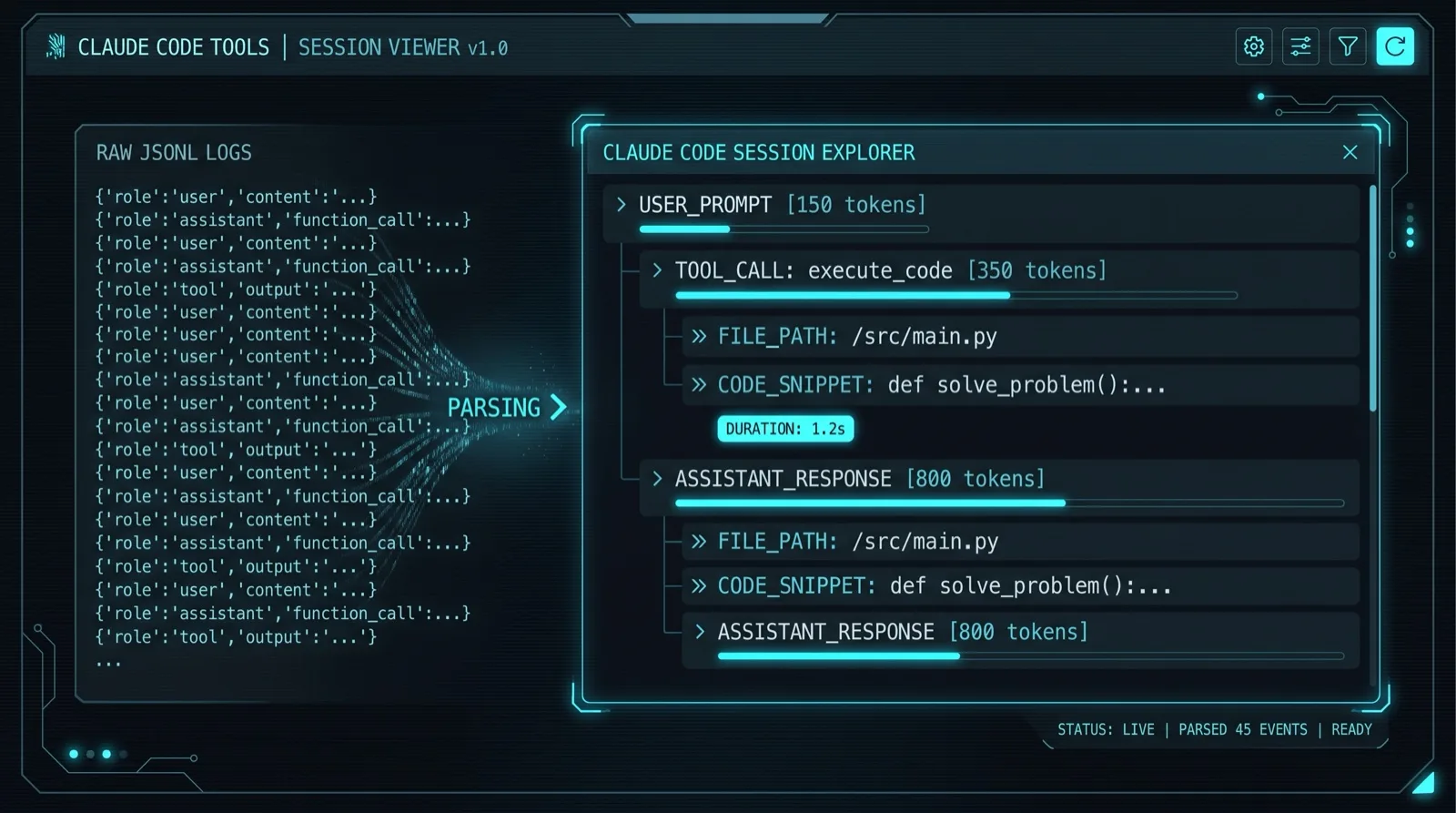
Every Claude Code session you have ever run is sitting on your disk as a plain text file. Not a database, not some opaque binary blob: a JSONL file, one JSON object per line, that records every prompt you typed, every token the model spent, every tool it called, and every subagent it spawned. Anthropic barely documents the format, so I read a few thousand lines of real session files to figure it out and built a free Claude Code Session Viewer that parses them right in your browser. The Claude Code topic hub connects this file format to setup, pricing, agent workflows, and extensions. Here is how the format actually works.
Where Claude Code Stores Session Files
Claude Code writes every session to ~/.claude/projects/<munged-project-path>/<session-id>.jsonl. The project path is your working directory with slashes replaced by dashes, so a session run in /Users/you/code/app lands in a folder named -Users-you-code-app. Each session gets its own file named after its UUID. Resume an old session and Claude Code keeps appending to that same file, so a single JSONL can span days of work.
If the directory does not exist yet, follow the current Claude Code installation guide and run your first session. Claude creates the project directory and JSONL file automatically.
The file is append-only and written a line at a time as the session streams. That is the whole reason it is JSONL and not one big JSON array: you can flush a line the instant it exists without rewriting the file, and a crash mid-session still leaves you with a valid file up to the last complete line.
If the session spawned subagents you also get a sibling directory named after the session UUID, with one file per subagent inside: <session-id>/subagents/agent-<agentId>.jsonl. The session file and its subagent files together are the full record. Grab only the top-level .jsonl and you have the main thread with the subagents' work missing.
One JSON Object Per Line
Each line is a self-contained JSON object with a type field, and that field decides everything. The three types that carry the actual conversation are user, assistant, and system. Everything else is metadata bookkeeping you skip: file-history-snapshot, attachment, summary, permission-mode, custom-title, agent-name, and a handful of others.
Most entries share a common skeleton. uuid is the line's ID, and parentUuid points at the line before it, so the whole session is a linked list you walk from the root. Then a pile of context fields: timestamp (ISO 8601), sessionId, cwd, gitBranch, version, and isSidechain. Here is a trimmed user prompt:
{"type":"user","uuid":"a1b2...","parentUuid":null,
 "timestamp":"2026-07-09T15:04:11.220Z","sessionId":"3c90...",
 "cwd":"/Users/you/code/app","gitBranch":"main",
 "message":{"role":"user","content":"fix the failing test"}}
Assistant Entries Wrap a Raw API Message
An assistant entry nests the exact Anthropic API response under a message field. That means message.model, message.id, message.content[], and message.usage are all there verbatim. The content array holds typed blocks: text for what the model says, thinking for extended reasoning, and tool_use for a tool call with its id, name, and input. The usage object is the good stuff: input_tokens, output_tokens, cache_read_input_tokens, and cache_creation_input_tokens.
The Usage Gotcha: Never Sum Tokens Across Lines
If you add up the usage object on every assistant line, you will overcount tokens by a huge factor. One API turn gets written as several consecutive assistant entries, one per streamed content block, and every single one repeats the same usage object. A turn with a text block, a thinking block, and three tool calls writes five lines that all claim the identical token counts. Sum them naively and you have multiplied your real usage by five.
The fix is to dedupe by message.id. Every line that belongs to the same API turn shares one message.id (they also share a requestId), so you keep one usage object per unique message ID and drop the rest. I keep the last value I see, since the streamed counts finalize as the turn completes. This one detail is the difference between a token estimate that is right and one that is off by an order of magnitude, and it is the single thing I see people get wrong when they try to parse these files themselves.
User Entries Are Either a Prompt or a Tool Result
A user entry is not always a human talking. Half the time it is a tool result being fed back to the model. You tell them apart by the content: a real prompt has plain text, while a tool result has message.content[0].type equal to tool_result plus a richer top-level toolUseResult field with the structured output.
To reconstruct what a tool actually did, you pair the tool_result.tool_use_id back to the earlier tool_use.id from the assistant turn that called it. Subtract the tool call's timestamp from the result's timestamp and you get the real wall-clock duration of that tool, which is how you find the one Bash command that hung for 40 seconds. Here is a tool result line, trimmed:
{"type":"user","timestamp":"2026-07-09T15:04:19.880Z",
 "message":{"role":"user","content":[
   {"type":"tool_result","tool_use_id":"toolu_01x...",
    "is_error":false,"content":"..."}]},
 "toolUseResult":{"stdout":"3 passed","stderr":"","exitCode":0}}
System Entries and the Subagent Sidechains
system entries are hook output and notices, carrying subtype, level, and durationMs. The more interesting flag is isSidechain. When it is true, that line belongs to a subagent rather than the main conversation. Sidechain entries form their own parentUuid chains with a parentUuid: null at the root, so each subagent is its own linked list of turns.
Current Claude Code keeps those chains out of the session file entirely. Every line in the top-level .jsonl has isSidechain: false, and each subagent gets its own subagents/agent-<agentId>.jsonl where every line is isSidechain: true. I checked ~4,200 session files across builds 2.1.2 through 2.1.206 and found zero sidechain lines in a main session file, so if you read a description of subagents interleaved into one file, it predates this layout. Inside a subagent file, every entry carries an agentId matching the filename and the parent's sessionId, which is how you know which session it belongs to.
The link back to the call that spawned it lives in the parent, not the subagent. The tool result for the spawning call (named Agent in current builds, Task in older ones) carries a toolUseResult.agentId, and that value is the subagent's filename. Go the other direction and you get nothing: a subagent's root entry has no pointer to the tool call above it. So reassembling the tree means reading the session file and its subagent files together and joining on agentId, which is exact. Hand a parser only the session file and the subagents are simply absent, which is the trap: nothing errors, the tree just looks smaller than the work that actually happened.
One field will lie to you here. Subagent entries carry a sourceToolAssistantUUID, which reads like the pointer you want and is not. It links a tool result back to the assistant message that issued that tool call, always within the same file, and the root entry of a chain has it set to null. I wired it up as a spawn pointer before checking, and every one of the 45 values in the file I tested resolved to a message inside the subagent, not to the Agent call that started it. Get the linking right and you can finally see what your subagents actually did instead of trusting the one-paragraph summary they hand back. If you are designing multi-agent workflows, this is also how you audit whether your project structure for AI agents is steering them the way you think it is.
Why Bother Parsing Session Files
Parsing these files answers questions the Claude Code UI won't. You get the real token cost of a session, deduped by message ID and priced against the API list rates: input at full price, cache reads at roughly a tenth, cache writes at 1.25x for the five-minute TTL. If you are on a Pro or Max subscription you never pay per token, so that number is what the session would cost at API prices, which is still the honest way to compare how expensive two different workflows are. The Claude Code pricing and limits guide explains how that estimate differs from Pro, Max, and usage-based billing.
Beyond cost, it is a debugging tool. When an agent goes off the rails you can replay the exact tool calls and results that led there, spot the tool errors that got silently swallowed, and see which subagent burned an hour on the wrong file. It is the same instinct behind writing tools instead of doing everything by hand, which I get into in my Claude Code vs Codex vs Cursor comparison. For the full workflow around the tool itself, the Claude Code complete guide covers where sessions fit in.
The catch is that these files are radioactive. They contain your full source code, your file paths, your git branches, and anything a tool printed, which absolutely includes secrets an agent read from a .env or an error log. That is exactly why the Claude Code Session Viewer parses everything client-side. You drop a JSONL in, it renders the turns, the tool calls, the subagent trees, and the deduped token cost, and nothing ever leaves your machine. Grab a file out of ~/.claude/projects/ and see what your last session really did.
FREQUENTLY ASKED QUESTIONS
How to view sessions in Claude Code?
Run claude --resume to pick a past session from an interactive list inside the CLI, or open the raw JSONL file directly from ~/.claude/projects/. For a readable breakdown of turns, tool calls, and token cost, drop the file into the free Claude Code Session Viewer, which parses it entirely in your browser.
Where does Claude Code store session files?
Claude Code stores every session at ~/.claude/projects/<munged-project-path>/<session-id>.jsonl. The project path is your working directory with slashes replaced by dashes, and each session is a single JSONL file named after its UUID. Resuming a session appends to the same file.
How do I see previous Claude Code sessions?
List the files in ~/.claude/projects/ to find every past session grouped by project folder, or use claude --resume to reopen one in the CLI. Each .jsonl file is a complete transcript with one JSON object per line covering prompts, tool calls, and token usage.
Is it safe to share Claude Code session files?
No, session files are not safe to share. They contain your full source code, file paths, git branches, and anything a tool printed, which can include secrets read from a .env or an error log. If you need to analyze one, use a tool like the Claude Code Session Viewer that parses it locally so nothing leaves your machine.